
Plan maintenance instead of firefighting.
Solution 04 · Maintenance moduleReports, service intervals and machine history in one place. You see up front what needs attention and schedule it in the quiet hours.
From a breakdown at the worst moment to maintenance in the schedule.
- Reports come in through WhatsApp, email and notes.
- Maintenance happens once the machine is already down, mid-order.
- What happened to that machine last time is known only to the technician.
- One inbox: every report with machine, photo and priority.
- Service intervals on running hours or parts, scheduled in the quiet moments.
- Full history per machine, also when your technician is on holiday.
This is how it looks in the AIONIX portal.
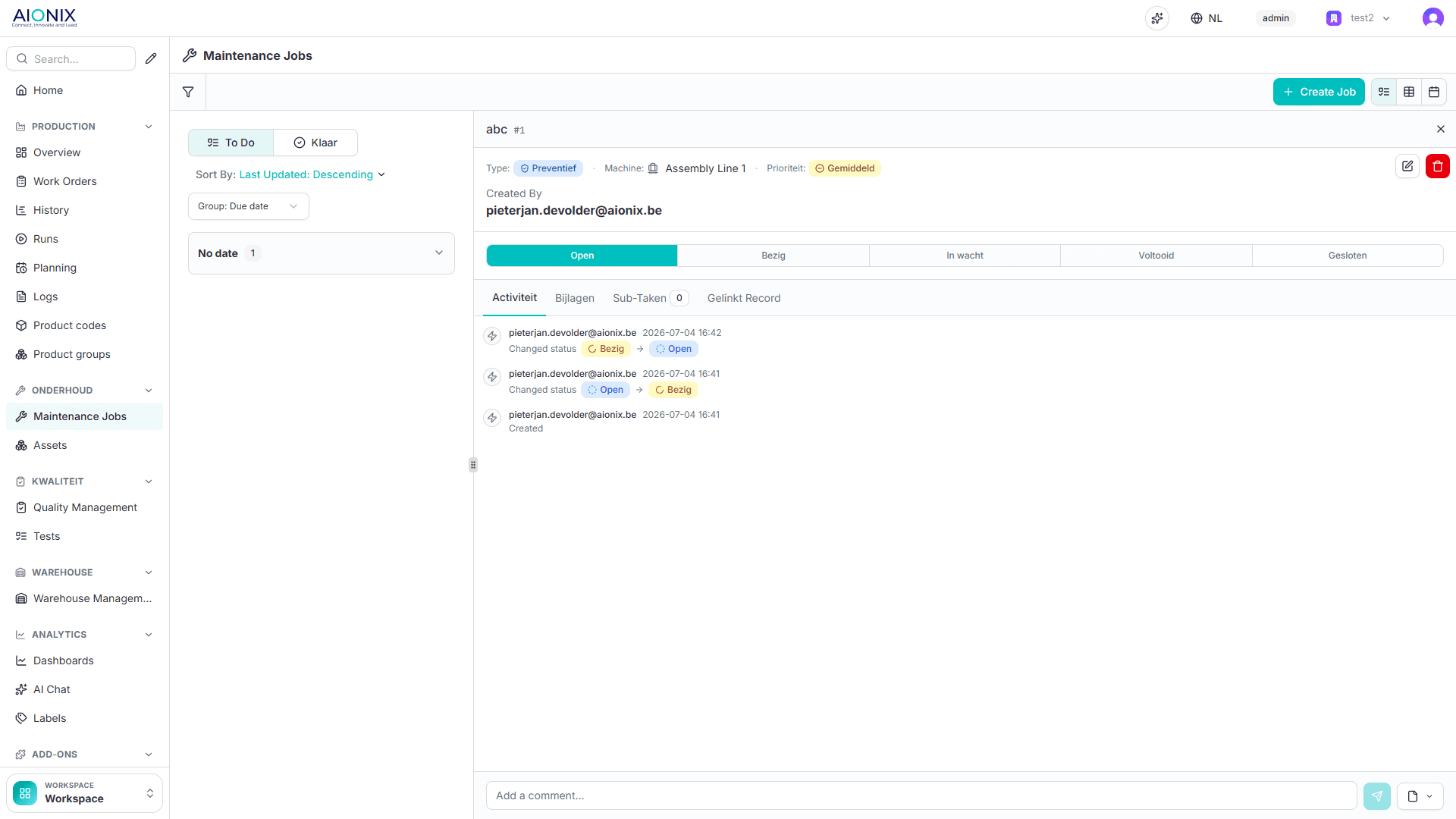
Report, schedule, follow up.
Report
The operator reports a problem on the screen or from their phone, with a photo. Nothing gets lost.
Schedule
Service intervals track running hours and parts, and land in the schedule where they fit.
Follow up
Per machine you see what happened, what it cost and which machine asks you for the most money.
Which signal raises which work order.
Maintenance on machine data means you set the limit above which something has to happen. These are the kinds of trigger we set up in practice.
| Trigger | What it watches | What happens |
|---|---|---|
| Running hours | A counter on the machine, not the calendar | When the interval is reached the service enters the planning, even if that falls earlier or later than last year |
| Cycle count | Strokes, metres or pieces since the last service | For wear parts that wear with production rather than with time |
| Reading over a limit | Temperature, pressure, vibration or current | A work order as soon as the value crosses the limit you set yourself |
| Report from the floor | The operator reports on the same screen they register on | Reaches maintenance with the order, the machine and the time attached |
| Fixed period | The calendar, for what legally or contractually runs on a date | Stays exactly as it is, alongside the other triggers |
This is maintenance on machine data, not a forecast of failure. A value crossing a limit is a different thing from a model predicting a breakdown, and we do not promise the second while it does not exist.
The same signal, four different actions.
Sees their work orders
What needs doing, on which machine, with the history beside it. No more note taped to the cabinet.
Plans alongside production
Schedule a service for a moment when the line is down anyway, instead of interrupting production for it.
Knows when the line has to be free
Maintenance sits in the same calendar as the production planning, so you see the clash before it happens.
Sees what downtime costs
Which machine costs the most in unplanned repair, and whether that outweighs replacing it.
Four questions about maintenance on machine data.
Is this predictive maintenance?
We plan maintenance in Excel. What does this add?
Does this work on machines without modern controls?
Who creates the work orders?
What maintenance gains from the rest.
Maintenance is one module of the MOM platform. On its own you manage service intervals; with the production context around it you know what a breakdown actually costs.
Production monitoring
Without production data an intervention is a line in a logbook. Together you see how much production time the breakdown cost, and whether the machine came back up to speed afterwards.
Quality
A machine drifting out of tolerance rarely reports it itself. Add quality and rising scrap becomes an early signal for maintenance instead of a surprise after the fact.
Planning
Scheduling maintenance means little without knowing when the line is free. Together the service lands in a gap in the plan instead of in a running batch.
Maintenance has no case of its own yet. To see what a phased rollout delivers in practice, read our customer cases. Why small, measured steps work is covered in Kaizen: small improvements, big impact.
Put your entire shop floor on the same platform.
No 'big bang'. As a West Flanders-based team, we start at your SME with the first module on the first line, prove the value, and build out together to your full platform, at the pace and budget of an SME.